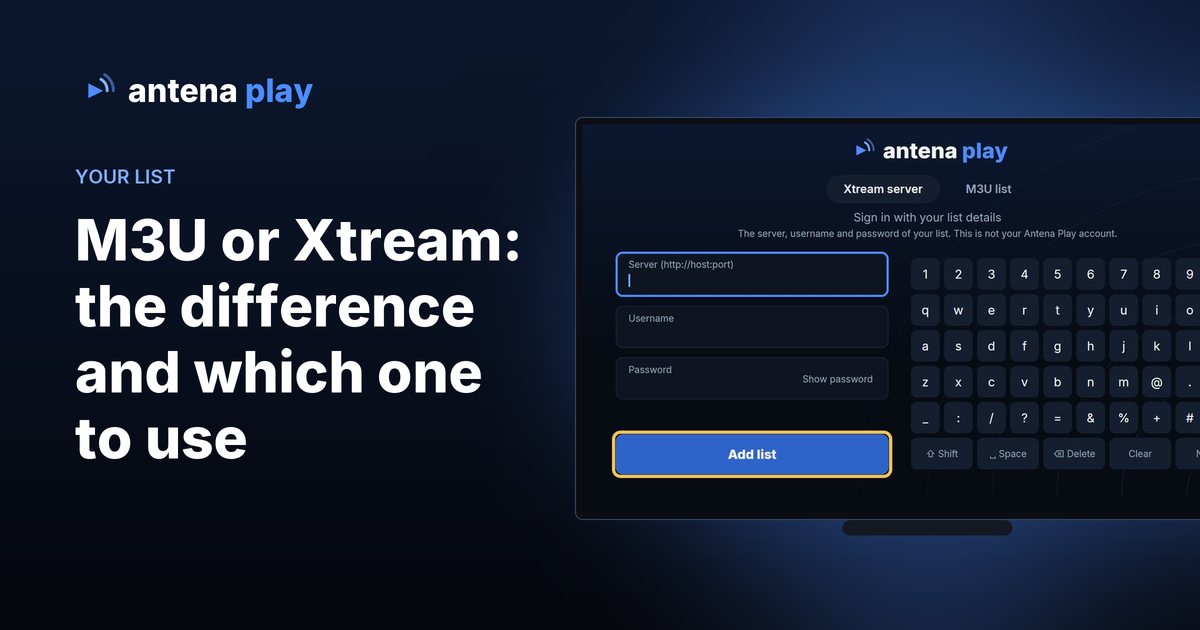
Quick answer
If your list has a server, username and password, pick Xtream server: the schedule comes along and the whole catalog loads. If all you have is a link, pick M3U list. And if that link contains get.php, it already carries the server, username and password, so you can use Xtream.
The two formats side by side
Xtream and M3U are two ways of delivering the same thing: the list of channels, movies and series you have the right to use. In the app, each one has its own tab in the list form.
| Xtream server | M3U list | |
|---|---|---|
| What you enter | The list server (with the port), username and password | The list link, ending in .m3u or containing get.php |
| Schedule (EPG) | Comes from the server itself, nothing to set up | Only with an XMLTV link pasted in Settings |
| Movies and series | Show up when the list has them | Show up when the link is exported from a server (the m3u_plus type). A channels only list shows only channels |
| Size | No cap | Up to 8,000 items of each type on the TV, in the browser and on Roku; up to 50,000 on the phone and iPhone |
| List connections | The app shows how many the list has in My lists (Android, LG TV and browser) | The link does not carry this information |
Where your list details are
Whoever provides the list usually sends the details in one of these ways: the server, username and password separately, or an M3U link. When the link contains get.php, the three Xtream details are inside it:
http://servidor.exemplo:8080/get.php?username=yourusername&password=yourpassword&type=m3u_plus
- Server is everything up to the port, before /get.php. It goes in the Server (http://host:port) field.
- Username is what comes after username=, up to the &.
- Password is what comes after password=, up to the &.
In the server field, the app fills in what is missing: without http://, it uses http; without a port, it uses 80 (or 443 if the address starts with https://). Anything after the address and port is ignored. On iPhone and iPad, if you paste such a link in the M3U tab, the app notices and offers to sign in with the Xtream server, with the three fields already filled in.
The list username is not your email. The email belongs to your Antena Play account, which is for Pro and signs in another way. The Username field takes the list username, and the app warns you if you type an email there.
How to add the list in the app
On the first screen, choose I have an IPTV list. The form opens with two tabs: Xtream server and M3U list. Fill in the tab for your format and confirm with Add list. It is the same on the TV, the phone, the iPhone and the browser:
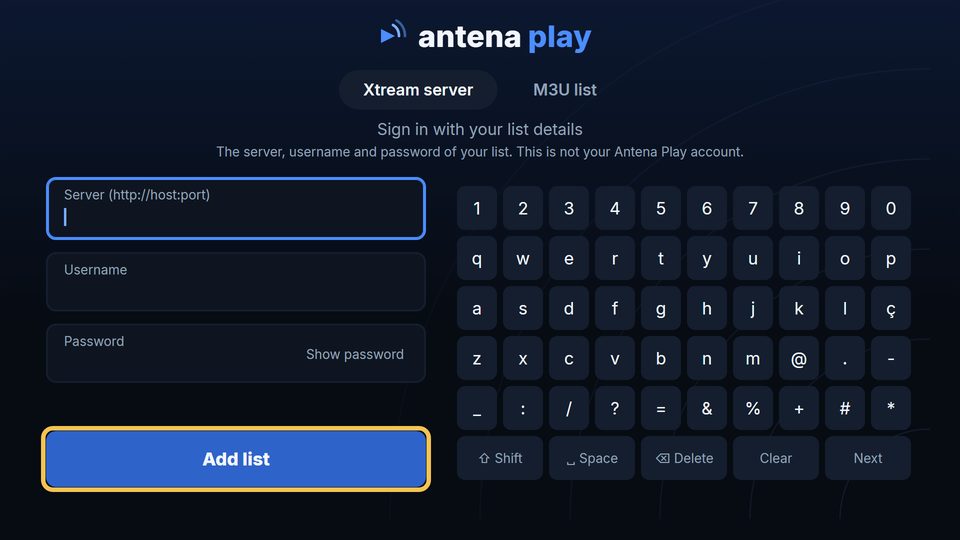
On the TV, the Xtream server tab: server, username and password.
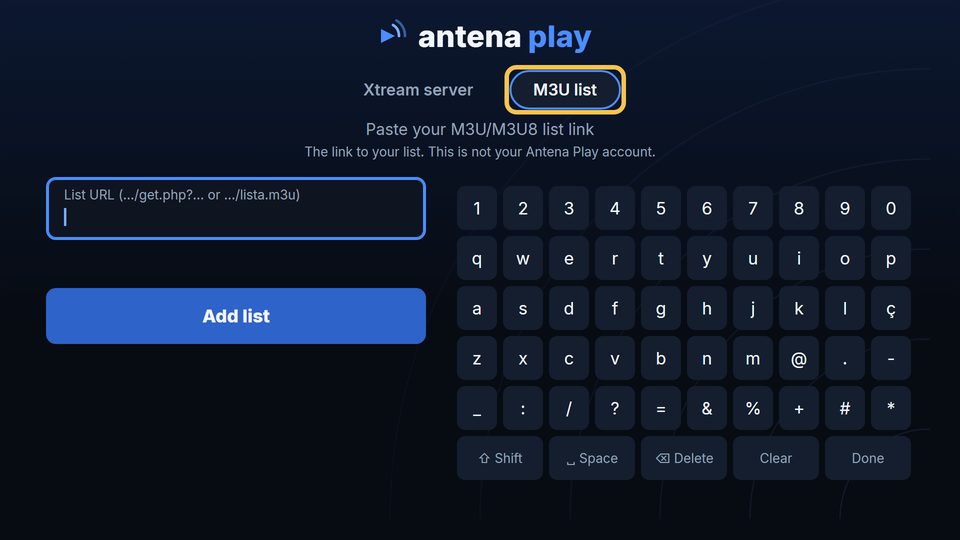
The M3U list tab: a single field, for the link.
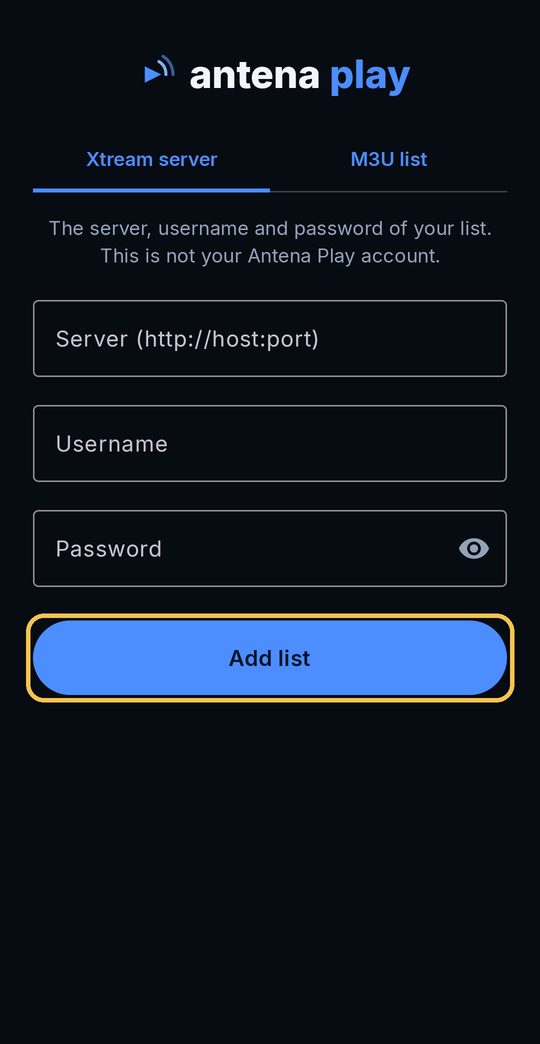
On the phone, the same tabs. On Xtream, the three fields and Add list.
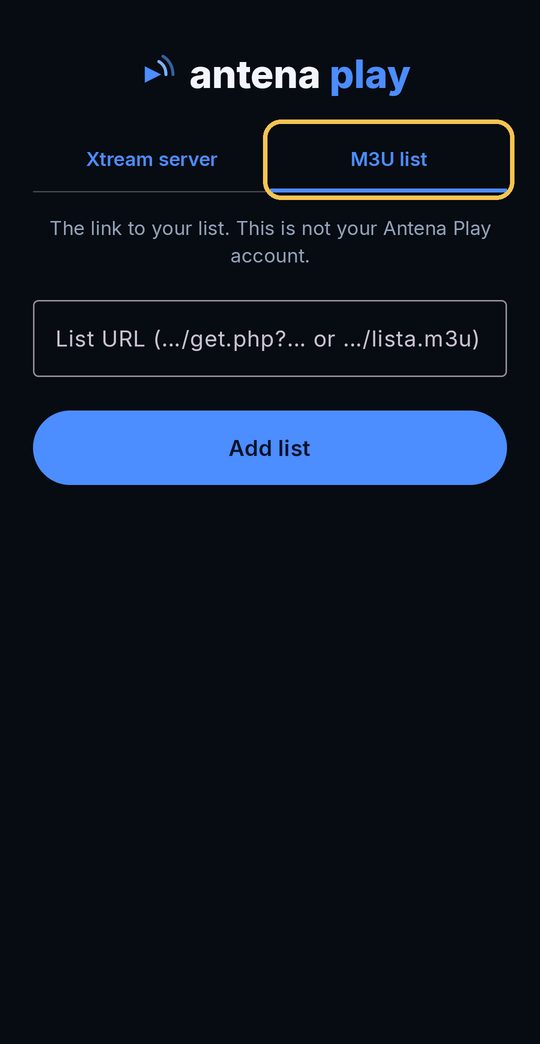
On M3U, paste the link and confirm.
On Roku, the choice appears as Sign in with: Xtream server or Sign in with: M3U list. The step by step for each device, with every screen, is in the device guides.
The schedule on an M3U list
On Xtream, the channel schedule comes from the server itself. On M3U, it only shows up if you paste the link to an XMLTV file in Settings, in the EPG guide (XMLTV) section. The app matches each channel to its schedule by the channel code in the list (the tvg-id). Without that link, M3U channels show no schedule.
Whoever provides the list has the XMLTV link: on Xtream servers it usually ends in xmltv.php. On Roku, the section is called EPG GUIDE (XMLTV) and works for both formats.
Which one to choose
- Have a server, username and password? Use the Xtream server. The schedule comes on its own and the whole catalog loads.
- Have a link with get.php? Take the three details out of it and use Xtream, as shown above. If you prefer, the link also works in the M3U tab.
- Have only a .m3u link, no server? Use the M3U list. For the schedule, ask whoever provides the list for the XMLTV link.
Frequently asked questions
Can I use both the M3U link and Xtream for the same list?
Yes. They are two ways of opening the same list. If the M3U link contains get.php, username and password, the same details work in the Xtream server tab. On iPhone and iPad the app notices this on its own and offers to sign in with Xtream.
Why does my M3U list show no schedule?
On M3U, the schedule comes from an XMLTV link you paste in Settings, in the EPG guide section. Without that link, channels show no schedule. On Xtream it comes from the server itself.
Is the list username my Antena Play email?
No. The username and password are those of your list. The Antena Play account is something else: it signs in with your email and is for Pro.
Read also
Did not find the answer? The Help center answers account and subscription questions, and contato@antenaplay.app handles the rest.
© 2026 Antena Play · A MyProjects Studio product · B.B.C Suporte e Consultoria em Tecnologia Ltda
Guides by device: Android TV and TV boxes · Android phones · iPhone · Roku · LG TV · PC browser
Guides · How to install on each device · How to use · Help · Privacy Policy · antenaplay.app